Two powerful AI platforms, two very different approaches. Find out which one delivers better results for your print on demand business.
Try MyDesigns FreeThe debate between MyDesigns and Midjourney is one of the most common conversations among print on demand sellers who use AI design tools. Midjourney is the undisputed king of AI art generation, producing images of breathtaking beauty and complexity. MyDesigns is the specialized POD platform that combines AI design with every tool a merchandise seller needs. Both are excellent at what they do, but they serve very different purposes. This detailed comparison helps you understand the strengths and limitations of each so you can invest your time and money wisely.
Before diving into features, it is essential to understand that MyDesigns and Midjourney are fundamentally different types of tools. Midjourney is a pure AI art generator. It creates images from text prompts and that is essentially where its capabilities end. MyDesigns is a comprehensive POD design platform that happens to include AI generation as one of its many features.
Think of it this way: Midjourney is like having an incredibly talented artist who can paint anything you describe. MyDesigns is like having an entire design studio with an artist, a mockup photographer, a print technician, and a production manager all working together. The artist in MyDesigns may not paint with quite the same artistic flair as Midjourney's, but the studio as a whole gets your products from concept to market much faster.
Midjourney is widely recognized as producing the highest quality AI art available today. Its images have a distinctive artistic quality — rich textures, complex compositions, nuanced lighting, and a level of detail that often rivals professional digital art. The aesthetic quality is consistently impressive across styles, from photorealistic renders to stylized illustrations and abstract compositions.
MyDesigns' Dream AI engine produces high-quality images that are specifically optimized for merchandise. While the raw artistic quality may not match Midjourney's most impressive outputs, the designs are consistently clean, well-composed, and immediately usable for POD products. The AI prioritizes characteristics that matter for print — clear subjects, appropriate backgrounds, vibrant but print-friendly colors, and compositions that work within product templates.
In practical terms, a Midjourney-generated image might look more impressive on a computer screen, but a MyDesigns-generated image might look better when actually printed on a t-shirt. The Dream AI engine is trained to understand printing constraints that Midjourney does not account for, such as the way colors translate to fabric, the resolution requirements of different print methods, and the visual impact of designs viewed at the scale of a wearable product.
This is where the comparison shifts dramatically in MyDesigns' favor. A complete POD design workflow involves several steps that go beyond image generation:
Step 1 — Generation: Both platforms generate AI images from text prompts. Midjourney does this through Discord commands, while MyDesigns uses a web-based interface. Both are effective, though MyDesigns' web interface is more intuitive for non-technical users.
Step 2 — Background Removal: MyDesigns includes AI-powered background removal that is optimized for POD applications. Midjourney does not have any built-in background removal — you need to use an external tool like Canva, Photoshop, or remove.bg to prepare your images for merchandise.
Step 3 — Design Refinement: MyDesigns offers text overlay, image adjustments, and basic editing tools within the platform. Midjourney has no editing capabilities — you must export your images to another tool for any modifications.
Step 4 — Mockup Creation: MyDesigns instantly generates product mockups showing your designs on t-shirts, mugs, and other merchandise. Midjourney has no mockup functionality — you need a separate mockup platform like Placeit or Printful's mockup generator.
Step 5 — Export for Print: MyDesigns exports in formats and resolutions optimized for specific print providers. Midjourney exports raw images that you must manually prepare for print submission.
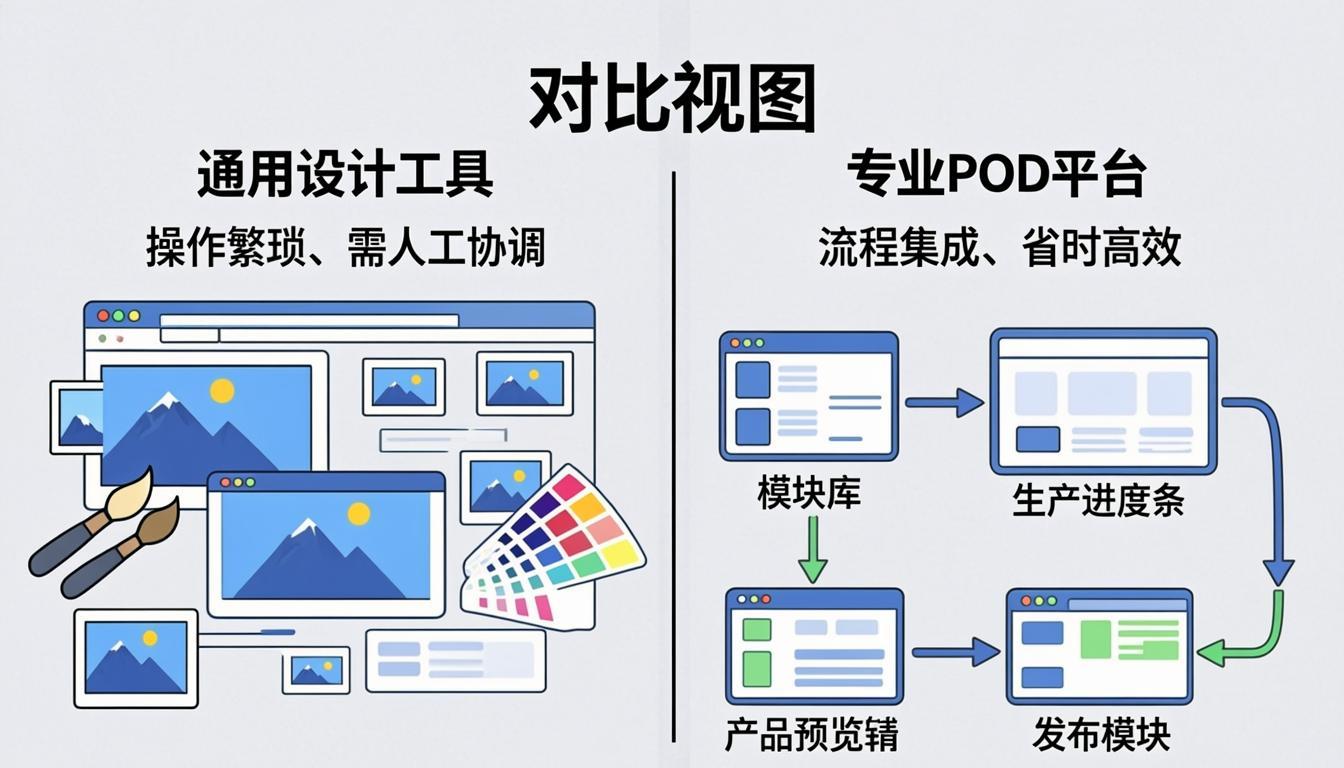
The workflow difference is stark. MyDesigns handles all five steps in one platform. With Midjourney, you need at least three separate tools to complete the same workflow, each with its own learning curve, subscription cost, and potential compatibility issues.
| Feature | MyDesigns | Midjourney |
|---|---|---|
| AI Image Generation | Excellent — POD-Optimized | Exceptional — Artistic Quality |
| Artistic Quality & Detail | High Quality | Best in Class |
| Background Removal | Built-in AI-Powered | Not Available |
| Text Editing & Overlays | Built-in | Not Available |
| Mockup Generation | Instant Product Mockups | Not Available |
| Bulk Processing | Batch Generation & Export | Not Available |
| POD-Optimized Export | Print Provider Ready | Standard Image Files |
| User Interface | Web Dashboard — Intuitive | Discord — Learning Curve |
| Style Versatility | POD-Focused Styles | Unlimited Artistic Styles |
| Image Resolution | High / Ultra HD | High Resolution Options |
| Speed of Generation | Fast with Priority Queue | Variable — Queue Dependent |
| Commercial Rights | Full Commercial License | Commercial (Paid Plans) |
| All-in-One POD Workflow | Complete Platform | Requires Multiple Tools |
Midjourney offers tiered subscriptions starting at approximately $10 per month for the Basic plan, which includes around 200 image generations per month. Higher tiers offer more generations and faster processing. The value proposition is straightforward — you pay for image generation capacity.
MyDesigns offers a free plan with limited AI credits and paid plans that scale with production needs. The key difference in value is that MyDesigns' pricing covers not just AI generation but also mockup creation, editing tools, background removal, and POD-optimized export. When you factor in the cost of the additional tools you would need to complement Midjourney for a complete POD workflow, MyDesigns is typically more cost-effective for merchandise sellers.
A practical cost comparison for a typical POD seller might look like this: Midjourney Basic ($10/month) + Canva Pro ($13/month) for editing and background removal + Placeit ($15/month) for mockups = approximately $38/month for a three-tool workflow. MyDesigns paid plan covers all of these capabilities for a single subscription, often at a lower total cost.
Midjourney operates through Discord, which is a significant barrier to entry for many users. To use Midjourney, you need a Discord account, you need to join the Midjourney server, and you need to learn the slash command syntax for generating images. The Discord interface can feel chaotic and unintuitive, especially for users who are not already familiar with the platform.
MyDesigns uses a clean, web-based dashboard that is designed for accessibility. You type your design prompt into a text field, select your options, and click generate. The interface is intuitive enough that most users can create their first design within minutes. For POD sellers who want to focus on building their business rather than learning new software, MyDesigns is significantly more accessible.
That said, Midjourney's Discord interface does offer advantages in terms of community. The Midjourney community on Discord is incredibly active, with users sharing prompts, techniques, and inspiration. This community aspect is a genuine benefit that helps users learn to create better prompts and discover new artistic approaches.
Despite MyDesigns' workflow advantages, there are scenarios where Midjourney is the better choice for POD sellers. If you prioritize artistic uniqueness above workflow efficiency — for example, if you sell premium art prints, gallery-quality merchandise, or limited edition designs where artistic quality is the primary selling point — Midjourney's superior image quality justifies the additional workflow complexity.
Midjourney also excels when you need highly specific artistic styles that other AI tools cannot replicate. Its style range is broader and more nuanced than most competitors, making it the go-to choice for sellers who need distinctive, art-forward merchandise that stands out in a crowded market.
Choose MyDesigns if: You want an efficient, all-in-one POD design workflow that handles everything from AI generation to product mockups. MyDesigns maximizes your productivity and minimizes the number of tools you need to manage. For most POD sellers building scalable businesses, this efficiency advantage is the deciding factor.
Choose Midjourney if: Artistic quality is your top priority and you are willing to invest in a multi-tool workflow. Midjourney is ideal for premium merchandise, art-focused POD stores, and sellers who want the most visually impressive AI art available, even if it requires more time and additional software.
Use both if budget allows: Generate artistic base images in Midjourney, then import into MyDesigns for background removal, mockup creation, and POD-optimized export. This combines the best of both platforms.
For POD workflows as a whole, MyDesigns is more practical because it provides a complete pipeline — AI generation, background removal, mockup creation, and POD-optimized export — all in one platform. Midjourney produces superior raw AI art but requires additional tools to complete a POD workflow. For most sellers focused on efficiency and scale, MyDesigns is the better choice.
Yes, Midjourney's paid plans include commercial usage rights for generated images. You can legally sell merchandise featuring Midjourney-generated art. Free trial images cannot be used commercially. Always check Midjourney's latest terms of service to stay current with their commercial policies.
Midjourney generally produces more artistically impressive and detailed AI art with richer textures and more complex compositions. However, MyDesigns' Dream AI produces designs that are more immediately usable for merchandise — cleaner backgrounds, better compositions for products, and print-friendly output. The "better" choice depends on whether you prioritize artistic impressiveness or POD practicality.
Absolutely. Many successful POD sellers use both platforms together. A popular workflow is to generate artistic base images in Midjourney, then import them into MyDesigns for background removal, text overlays, product mockups, and POD-optimized export. This hybrid approach combines Midjourney's artistic quality with MyDesigns' workflow efficiency.
MyDesigns operates through a clean web interface built specifically for POD workflows — you type a prompt, generate a design, create a mockup, and export for printing, all in one place. Midjourney operates through Discord, requiring you to learn Discord commands, navigate chat channels, and manage a bot-based interface that was designed for community interaction rather than business workflows.