Explore the top alternatives to MyDesigns for AI-powered print on demand design. Find the right tool for your workflow and budget.
Try MyDesigns Free InsteadMyDesigns has rapidly become one of the most popular platforms for AI-powered print on demand (POD) design, but it is not the only option available. Whether you are exploring the market before committing to a tool, looking for a specific feature that MyDesigns does not offer, or simply want to understand the competitive landscape, this comprehensive guide covers every major alternative worth considering. We evaluate each platform based on design quality, POD-specific features, pricing, ease of use, and overall value for print on demand sellers.
Canva needs little introduction. It is one of the most widely used design platforms in the world, with over 170 million monthly active users. While Canva was not built specifically for print on demand, its massive template library, intuitive editor, and recent AI integrations make it a viable option for POD sellers who want a familiar, versatile tool.
Canva's Magic Media suite includes AI-powered image generation, background removal, and text-to-image capabilities. The platform also offers thousands of t-shirt and merchandise templates that can be customized for POD products. Integration with print providers through third-party apps adds another layer of convenience.
Best for: Beginners who want a familiar design tool with some AI features, and sellers who also need designs for social media, marketing materials, and branding alongside their POD products.
Midjourney is widely regarded as the gold standard for AI art generation. Operating primarily through Discord, it produces breathtakingly detailed and artistic images that have become a staple in the creative industry. For POD sellers who prioritize artistic quality above all else, Midjourney is a powerful option.
However, Midjourney is purely an image generation tool. It does not include mockup generation, background removal, text editing, or any POD-specific features. You will need additional tools to complete your POD workflow, which means managing multiple platforms and potentially higher overall costs.
Best for: Experienced sellers who want the highest possible AI art quality and are comfortable managing a multi-tool workflow.
Adobe Express brings Adobe's professional design heritage to a simplified, web-based interface. It offers AI-powered features through Adobe Firefly, which generates images from text prompts, applies artistic effects, and includes professional-grade templates. For sellers who value the Adobe ecosystem, Express is a natural choice.
Adobe Express includes a decent mockup feature, background removal, and access to Adobe's extensive font library. The integration with Creative Cloud means you can start a design in Express and refine it in Photoshop or Illustrator if needed.
Best for: Sellers already in the Adobe ecosystem who want professional-grade tools with AI capabilities and seamless Creative Cloud integration.
Kittl has carved out a niche as a design platform that excels in typography and vector graphics. It is particularly popular among t-shirt designers because of its advanced text manipulation tools, illustrated assets, and AI-powered features. The platform's specialty in lettering and typographic designs makes it a strong contender for POD sellers focused on text-heavy merchandise.
Kittl offers AI image generation, a rich library of vector graphics and illustrations, and powerful text effects that go far beyond what Canva or Adobe Express provide. Its export options are optimized for print, which is a significant advantage for POD sellers.
Best for: POD sellers who specialize in text-based and typographic designs, especially for t-shirts and apparel.
Placeit by Envato is primarily known for its massive mockup library, but it also includes a browser-based design tool. With over 40,000 mockup templates covering everything from t-shirts and mugs to digital devices and packaging, Placeit is the go-to platform for sellers who need professional product photography without a studio.
While Placeit's design tools are functional, they are not as AI-powered or advanced as MyDesigns. The platform's strength lies in its mockup library rather than its design generation capabilities. You would typically create your design elsewhere and use Placeit to showcase it on products.
Best for: Sellers who prioritize professional mockups over design generation and need a vast library of product photography templates.
DALL-E 3, accessible through ChatGPT, represents a different approach to AI design. Instead of a traditional design platform, you interact with the AI through natural language conversation, refining your designs iteratively through dialogue. This makes it uniquely accessible for sellers who prefer a conversational workflow.
The image quality from DALL-E 3 is impressive and particularly strong at following detailed prompts. However, like Midjourney, it is a pure generation tool without POD-specific features. You will need additional platforms for mockups, editing, and product preparation.
Best for: Sellers who prefer a conversational AI approach and want to iterate on designs through dialogue rather than traditional editing interfaces.
While each alternative has its strengths, MyDesigns offers a uniquely complete package for print on demand sellers. It combines AI design generation, mockup creation, background removal, bulk export, and POD-optimized export settings in a single platform. This all-in-one approach eliminates the need to juggle multiple subscriptions and learn multiple interfaces.
The Dream AI engine is specifically tuned for POD applications, producing designs that work well on merchandise without extensive post-processing. The mockup library is extensive and growing, covering all major POD product categories. Bulk processing tools allow serious sellers to scale their operations efficiently.
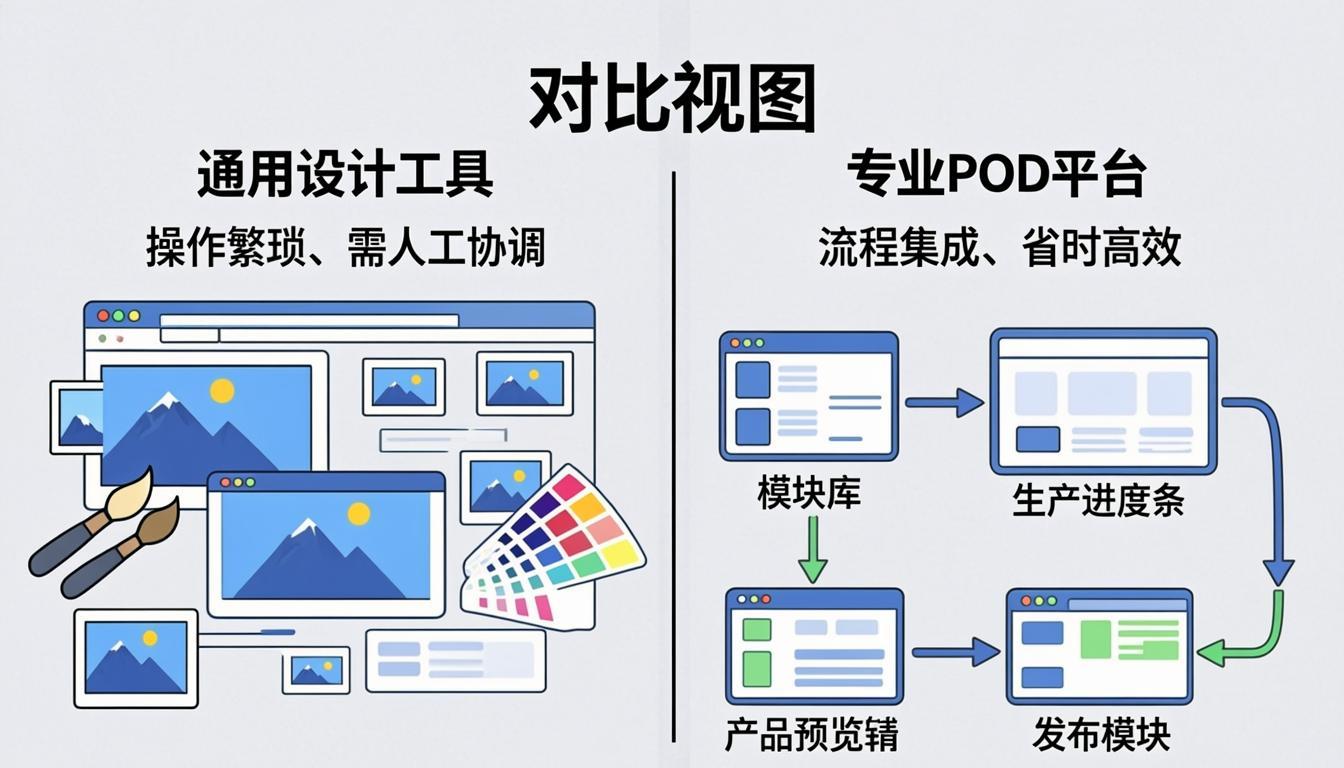
Most importantly, MyDesigns was built by people who understand the print on demand business. Every feature, from the AI generation parameters to the export settings, is optimized for POD workflows. This domain-specific focus is something that general-purpose design tools like Canva and Adobe Express simply cannot match.
Canva offers a robust free tier that includes basic design tools and some AI features through its Magic Media suite. However, for POD-specific workflows, MyDesigns free plan is more focused and purpose-built. Other free options include Kittl's free tier and GIMP for manual design work, though neither matches the AI capabilities of MyDesigns.
Midjourney produces stunning AI art but requires a Discord-based workflow and does not include POD-specific features like mockup generation, bulk export, or background removal. You would need to pair Midjourney with additional tools like Canva or Photoshop to complete your POD workflow. MyDesigns handles the entire pipeline in one platform.
MyDesigns stands out because it combines AI design generation, mockup creation, and POD-specific tools in one platform. Most alternatives only cover one or two of these areas. For the closest all-in-one experience, you might combine Canva with Printful's design tools, though this requires managing two separate platforms and paying for two subscriptions.
Canva is the most beginner-friendly alternative due to its intuitive drag-and-drop interface, extensive template library, and massive collection of learning resources. MyDesigns itself is also very beginner-friendly with its straightforward AI workflow, but if you are looking for an alternative specifically, Canva's learning curve is exceptionally minimal.
Yes, most mainstream AI design tools including MyDesigns, Midjourney, and DALL-E offer commercial licensing options for paid plans. Always review the specific terms of service for each platform to ensure your intended use is covered. MyDesigns paid plans include full commercial rights for all generated designs, making them safe for POD applications.