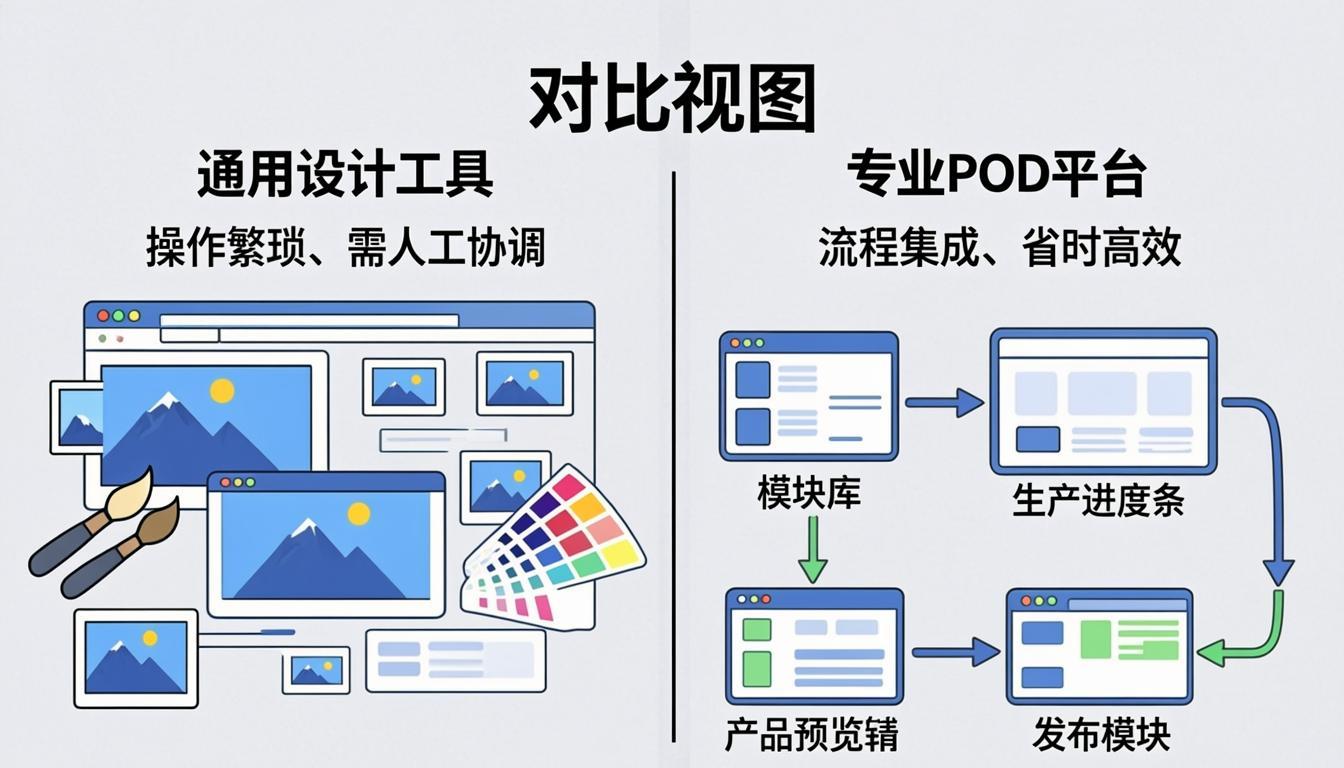
An in-depth comparison of two popular design platforms to help you choose the right tool for your POD business.
Try MyDesigns FreeWhen it comes to creating designs for your print on demand (POD) business, MyDesigns and Canva are two of the most talked-about platforms. Canva is the household name in online design, trusted by millions of users for everything from social media posts to business presentations. MyDesigns is the rising star built specifically for POD sellers, with AI-powered tools that understand the unique needs of merchandise design. In this detailed comparison, we examine both platforms across every dimension that matters to POD sellers — from AI design quality and mockup generation to pricing, export options, and overall workflow efficiency.
MyDesigns is a purpose-built platform for print on demand design. It combines AI image generation through its Dream AI engine, automated mockup creation, background removal, and POD-optimized export tools into a single cohesive workflow. The platform was designed from the ground up for merchandise sellers, meaning every feature is informed by the realities of selling on platforms like Etsy, Amazon, Redbubble, and Shopify.
Canva is a general-purpose design platform with over 170 million monthly users. It offers a drag-and-drop editor, a massive template library, AI features through Magic Media, and extensive collaboration tools. While Canva was not built specifically for POD, many sellers use it for creating merchandise designs alongside their other design needs.
This is where the two platforms diverge significantly. MyDesigns' Dream AI engine is specifically trained and optimized for generating artwork that works on merchandise. It understands concepts like print-friendly color palettes, appropriate contrast levels for fabric printing, and compositional guidelines for different product types. When you generate a design for a t-shirt in MyDesigns, the AI inherently considers the rectangular format, center-focused composition, and clean backgrounds that POD products demand.
Canva's Magic Media suite offers AI image generation, but it is a general-purpose tool that does not account for POD-specific requirements. The generated images can be beautiful, but they often require more post-processing to work well on merchandise. You may need to remove backgrounds, adjust colors for fabric printing, or crop compositions to fit product templates.
In head-to-head testing, MyDesigns consistently produces designs that are more immediately usable for POD applications. The AI generates clean backgrounds, appropriate aspect ratios, and compositions that translate well to physical products. Canva's AI output is more variable and frequently needs additional editing before it is print-ready.
MyDesigns includes a built-in mockup generator that lets you place your designs on t-shirts, hoodies, mugs, phone cases, and other POD products. The mockups are created instantly from your designs, with multiple template options for each product type. This is a core feature of the platform, and the mockup quality is consistently high.
Canva does not have a dedicated mockup generation tool. You can create mockups by manually placing your designs onto template images, but this requires finding suitable template images, manually positioning and scaling your design, and adjusting blend modes. Some third-party integrations add mockup capabilities, but these require additional subscriptions and add complexity to your workflow.
For POD sellers who need to create product mockups quickly and at scale, MyDesigns has a clear advantage. The ability to generate mockups directly from your AI designs, without switching platforms or manually compositing images, saves significant time and effort.
| Feature | MyDesigns | Canva |
|---|---|---|
| AI Design Generation | Dream AI — POD-Optimized | Magic Media — General Purpose |
| AI Output Quality for POD | Excellent — Print-Ready | Good — Often Needs Editing |
| Built-in Mockup Generator | Yes — Instant Mockups | No — Manual or 3rd Party |
| Background Removal | AI-Powered, POD-Optimized | Available on Pro Plan |
| Bulk Export / Batch Processing | Available on Paid Plans | Not Available |
| Template Library Size | POD-Focused Selection | Massive General Library |
| Typography Tools | Good | Excellent |
| Text Effects & Styling | Good | Extensive Options |
| Social Media Design | Not Focus Area | Excellent |
| Brand Kit Management | Limited | Advanced |
| Team Collaboration | Basic | Advanced |
| POD-Specific Export Formats | Optimized for Print Providers | Standard PNG/SVG/PDF |
| Commercial License | Full Commercial Rights | Varies by Plan & Asset |
| Free Plan Value | Good for Testing | Very Generous |
Both platforms offer free plans and multiple paid tiers, but the value proposition differs significantly depending on your use case.
MyDesigns offers a free plan with limited AI credits and basic features. Paid plans start at a competitive price point and scale based on credit allocation and advanced features. The pricing is straightforward — you pay for the number of AI credits and features you need. For POD sellers, the all-in-one nature of the platform means your subscription covers AI generation, mockups, editing, and export tools in a single payment.
Canva offers a generous free plan that is excellent for general design work. Canva Pro adds AI features, expanded templates, and premium content. Canva for Teams adds collaboration features at a higher price point. However, to replicate the full POD workflow that MyDesigns provides, you would likely need Canva Pro plus a separate mockup tool subscription, which can quickly become more expensive than MyDesigns.
The key pricing insight for POD sellers is this: MyDesigns bundles everything you need into one subscription. With Canva, you may end up paying for multiple tools to achieve the same workflow, potentially spending more overall.
For POD sellers, the ultimate measure of a design tool is the quality of the final product. How does the design look when printed on a t-shirt? Does it maintain quality on different colored fabrics? Does the resolution meet print provider specifications?
MyDesigns generates designs with print specifications in mind. The output resolution, color handling, and format options are all optimized for commercial printing. Backgrounds are clean, colors are print-friendly, and the compositions are designed to work on physical products. This POD-first approach means less time in post-processing and fewer rejected designs from print providers.
Canva produces excellent designs for digital applications, but translating those designs to physical merchandise requires additional attention. You may need to convert RGB to CMYK, adjust resolution for large-format printing, and ensure backgrounds are properly removed. These are manageable tasks, but they add time to your workflow and introduce potential quality issues.
Canva is widely considered the most user-friendly design platform available. Its drag-and-drop interface, visual editor, and extensive tutorial library make it accessible to absolute beginners. The learning curve is minimal, and most users can create their first design within minutes of signing up.
MyDesigns is also beginner-friendly, but its AI-driven workflow is fundamentally different from Canva's manual design approach. Instead of dragging elements onto a canvas, you describe what you want in text prompts and let the AI generate designs. This can be both simpler and more nuanced — simpler because you do not need design skills, but more nuanced because learning to write effective prompts takes practice.
For sellers who enjoy hands-on design work and want maximum creative control, Canva's visual editor may feel more natural. For sellers who want to leverage AI to produce designs faster and at scale, MyDesigns' prompt-based workflow is more efficient.
Choose MyDesigns if: You are primarily focused on print on demand and want an all-in-one platform that handles AI design generation, mockup creation, and POD-optimized export. MyDesigns saves time, produces print-ready output, and eliminates the need for multiple tool subscriptions.
Choose Canva if: You need a versatile design tool for multiple purposes beyond POD — including social media graphics, presentations, marketing materials, and brand collateral — and are willing to accept a less specialized POD workflow.
Best of both worlds: Use MyDesigns for AI design generation and mockups, then export to Canva for additional text overlays, social media graphics, and marketing content.
For print on demand specifically, MyDesigns is better because it offers POD-optimized AI design generation, built-in mockup tools, bulk export capabilities, and background removal — all tailored for merchandise sellers. Canva is a more general-purpose tool that can be used for POD but lacks the specialized features and POD-first design philosophy that make MyDesigns more efficient for merchandise design workflows.
Yes, Canva can create t-shirt designs and offers templates for merchandise. It works well for simple typographic designs and basic graphics. However, the AI generation quality is lower than dedicated AI tools like MyDesigns, and you will need a separate platform for professional mockups. Canva is best suited for designs where you manually create the artwork rather than relying on AI generation.
Both platforms offer free tiers, but Canva's free plan is more generous for general design work. For POD-specific workflows, MyDesigns paid plans offer better value because they include AI credits, mockups, and bulk tools in a single subscription. With Canva, you may need additional paid tools to complete your POD workflow, which can make the overall cost higher than a MyDesigns subscription.
Canva offers AI features through its Magic Media suite, including text-to-image generation and Magic Edit tools. However, the quality and control are more limited compared to MyDesigns' Dream AI engine. MyDesigns' AI is specifically optimized for generating POD-ready designs, while Canva's AI is a general-purpose tool that produces more variable results for merchandise applications.
Absolutely. Many successful POD sellers use MyDesigns for AI design generation and product mockups, then export the results to Canva for additional text overlays, social media graphics, or marketing materials. The two platforms complement each other well if your budget allows for both subscriptions, giving you the AI power of MyDesigns and the design versatility of Canva.