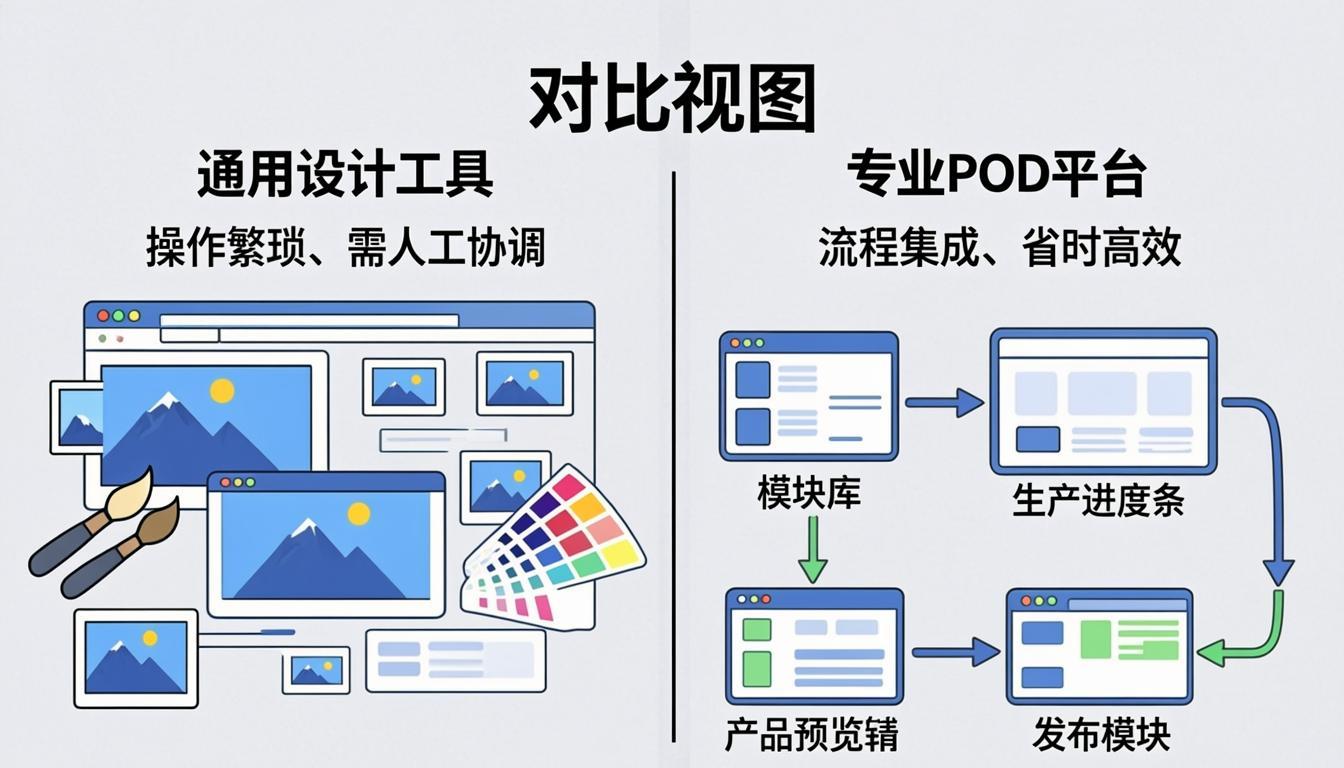
A feature-by-feature breakdown of MyDesigns and Adobe Express to help print on demand sellers choose the right design platform.
Try MyDesigns FreeChoosing between MyDesigns and Adobe Express for your print on demand business means weighing a specialized POD platform against a professional-grade design tool backed by one of the biggest names in creative software. Both platforms have significant strengths, but they serve different needs. This comprehensive comparison examines every critical factor — AI design quality, mockup capabilities, pricing, workflow efficiency, and output quality — so you can make the right choice for your POD store.
MyDesigns is an AI-powered design platform built exclusively for print on demand sellers. Its Dream AI engine generates designs optimized for merchandise, while integrated mockup tools, background removal, and bulk export features create a seamless end-to-end POD workflow. Every feature on the platform was designed with merchandise sellers in mind, from the AI generation parameters to the export format options.
Adobe Express is Adobe's lightweight design platform that brings professional-grade tools to a simplified, web-based interface. It integrates Adobe Firefly AI for image generation, offers access to premium Adobe fonts, includes professionally designed templates, and connects seamlessly with the broader Adobe Creative Cloud ecosystem. Adobe Express is a versatile tool suitable for a wide range of design tasks.
The AI capabilities of these two platforms represent fundamentally different approaches to design generation. MyDesigns' Dream AI engine is purpose-built for POD applications. It has been trained to understand the specific requirements of merchandise design — clean backgrounds for easy compositing, print-friendly color profiles, appropriate resolutions for various product types, and compositions that work within the constraints of different product shapes and sizes.
When you use MyDesigns to generate a design for a t-shirt, the AI inherently understands that the image needs a transparent or solid background, the composition should be centered for optimal placement, and the colors need to work when printed on fabric. This contextual awareness means the generated designs are immediately usable for POD applications with minimal post-processing.
Adobe Express leverages Adobe Firefly, which is Adobe's commercially safe AI model. Firefly produces high-quality images with a more refined, commercially conservative aesthetic. The output quality is excellent, but Firefly is a general-purpose AI that does not inherently understand POD requirements. You will often need to post-process Firefly-generated images — removing backgrounds, adjusting compositions, converting color profiles — before they are ready for merchandise printing.
In terms of raw artistic quality, both platforms produce impressive results. The difference lies in how immediately usable the output is for POD applications. MyDesigns has a clear advantage in reducing the time between AI generation and print-ready output.
Mockups are essential for POD sellers. High-quality product mockups drive sales on platforms like Etsy, Amazon, and Shopify by showing customers what the final product will look like. This is an area where the two platforms differ dramatically.
MyDesigns includes a comprehensive built-in mockup generator. After creating a design, you can instantly place it on t-shirts, hoodies, mugs, phone cases, tote bags, and dozens of other products. The mockup engine handles perspective, lighting, and fabric texture automatically, producing realistic product previews that are ready for your online store listings.
Adobe Express does not include a dedicated mockup generation feature. While it offers template-based designs that can simulate product layouts, these are not true mockups with realistic product photography. For professional product mockups, you would need to export your Adobe Express designs and import them into Adobe Photoshop (which requires a separate Creative Cloud subscription) or use a third-party mockup platform like Placeit.
The workflow difference is significant. With MyDesigns, you go from AI design to product mockup in a single platform, potentially in under a minute. With Adobe Express, the mockup step requires switching to a different tool entirely, adding time and complexity to your workflow.
Adobe Express has a clear advantage in traditional design editing. Its interface draws on Adobe's decades of design software expertise, offering precision editing tools, layer management, and professional-grade typography controls. The access to Adobe's premium font library alone is a major selling point for designers who prioritize typography in their merchandise.
MyDesigns offers competent editing tools including text overlay, background removal, and basic image adjustments. However, it is not trying to be a full-featured design editor like Adobe Express. The editing tools in MyDesigns are focused on refining AI-generated designs for POD use — cleaning up backgrounds, adding text elements, and preparing files for upload to print providers.
If your POD business relies heavily on custom typography, complex layouts, or multi-layered design compositions, Adobe Express provides more granular control. If you primarily use AI generation and need tools for quick refinement and mockup creation, MyDesigns is more efficient.
| Feature | MyDesigns | Adobe Express |
|---|---|---|
| AI Design Engine | Dream AI — POD-Optimized | Adobe Firefly — General AI |
| AI Quality for Merchandise | Print-Ready Output | Good — Needs Post-Processing |
| Built-in Mockup Generator | Yes — Instant Product Mockups | No — Requires External Tools |
| Background Removal | AI-Powered, POD-Optimized | Available with Subscription |
| Bulk Export / Batch Processing | Available | Not Available |
| Typography & Font Library | Good Selection | Adobe Premium Fonts |
| Precision Editing Tools | Basic — Refinement Focused | Professional Grade |
| Template Library | POD-Focused | Massive Multi-Purpose |
| Creative Cloud Integration | None | Full Ecosystem Access |
| POD Export Optimization | Print Provider Ready | Standard Formats |
| Commercial Licensing | Full Commercial Rights | Commercial — Review Terms |
| Learning Curve | Low — Prompt Based | Moderate — Design Knowledge Helps |
Adobe Express offers a free plan with basic features and limited Firefly AI credits. The Premium plan provides expanded AI capabilities, premium templates, and additional creative assets. For full Creative Cloud integration, including Photoshop, you need a separate subscription, which significantly increases the total cost.
MyDesigns offers a free plan for testing and paid plans that scale with your production needs. The pricing covers AI generation, mockup creation, editing tools, and POD-optimized export — essentially everything you need for merchandise design in one subscription.
The value comparison depends on your scope. If you only need design tools for POD, MyDesigns is more cost-effective because it bundles all necessary features into one platform. If you need design tools for a broader range of applications and are already paying for Adobe Creative Cloud, Adobe Express adds value without additional cost.
The typical POD design workflow involves several steps: concept generation, design creation, refinement, background preparation, mockup creation, and export for upload to print providers. Each step requires specific tools, and the fewer platforms you need to manage, the more efficient your workflow becomes.
MyDesigns handles this entire workflow within a single platform. You generate designs with AI, refine them with built-in editing tools, create product mockups instantly, and export in formats optimized for print providers. This consolidation eliminates context switching, reduces the number of subscriptions you manage, and significantly speeds up your production pipeline.
With Adobe Express, the workflow is more fragmented. You can generate AI designs and perform professional editing within the platform, but mockup creation and POD-specific export require additional tools. The integration with Adobe Photoshop helps, but it adds cost and complexity. For sellers focused purely on POD, this extra friction adds up over time.
Choose MyDesigns if: Your primary business is print on demand. The POD-optimized AI, built-in mockup generation, bulk processing, and streamlined workflow make it the most efficient choice for merchandise sellers who want to produce designs at scale.
Choose Adobe Express if: You need a versatile design platform that serves multiple purposes beyond POD and you value the Adobe Creative Cloud ecosystem, premium typography, and professional editing precision.
For print on demand workflows, MyDesigns offers a more specialized and efficient experience. It provides POD-optimized AI design generation, built-in mockup generation, background removal, and bulk export tools — all in one platform. Adobe Express is a powerful general-purpose design tool with professional editing capabilities, but it lacks POD-specific features and requires additional tools for mockup creation and print-optimized export.
Yes, Adobe Express includes Adobe Firefly AI for text-to-image generation, generative fill, and AI-powered text effects. The AI quality is professional and commercially safe. However, the output is more general-purpose and often requires additional editing to be suitable for merchandise printing, unlike MyDesigns which generates print-ready output directly.
MyDesigns has a significant advantage in mockup tools. It includes a dedicated mockup generator that instantly places your designs on t-shirts, mugs, phone cases, and other products. Adobe Express does not have a native mockup generator — you would need to use Adobe Photoshop or a third-party tool like Placeit for product mockups, adding extra steps and cost to your workflow.
Yes, Adobe Express offers a free plan that includes basic design features and a limited allocation of Adobe Firefly AI credits. The free tier is functional for simple design tasks but becomes restrictive when you need to generate multiple AI images or access premium templates and fonts. Paid plans unlock significantly more capabilities.
Choose MyDesigns if your primary focus is print on demand and you want an efficient all-in-one solution that handles AI design, mockups, and export. Choose Adobe Express if you are deeply invested in the Adobe Creative Cloud ecosystem and need professional design tools for both POD and broader creative projects. Many sellers find that MyDesigns' POD specialization saves them significant time compared to managing a multi-tool Adobe workflow.