Why Bulk Listing Is Essential for Etsy POD Success
In the world of Etsy print on demand, volume is a critical success factor. The math is straightforward: more listings mean more chances to appear in search results, more opportunities to capture buyer interest, and more potential revenue. Top-performing Etsy POD shops typically have 200 to 1,000+ active listings, while struggling shops often have fewer than 50.
The challenge is that creating each listing individually is incredibly time-consuming. Between designing the product, generating mockups, writing SEO-optimized titles and descriptions, selecting tags, setting pricing, and configuring shipping, a single listing can take 30 to 60 minutes to create properly. At that rate, building a shop with 500 listings would take 250 to 500 hours — a completely unrealistic timeline for most sellers.
Bulk listing strategies solve this problem by systematizing the entire process. By batching design creation, using templates for listing data, and leveraging tools that automate repetitive tasks, you can reduce the time per listing from 30 to 60 minutes down to just 5 to 10 minutes. This 6x to 10x efficiency gain is what allows top sellers to scale rapidly while maintaining quality.
The Bulk Listing Workflow — A Complete System
Effective bulk listing requires a structured workflow that eliminates decision-making at each step. Here is the complete system used by successful Etsy POD sellers:
Phase 1: Batch Design Creation (2 to 3 Hours)
Instead of designing one product at a time, dedicate focused sessions to creating batches of 20 to 50 designs. Use MyDesigns AI to generate multiple variations from a single concept prompt. For example, if you are creating dog breed t-shirts, generate 20 different breeds in the same style in a single session. This batch approach is significantly faster than switching between unrelated designs.
During this phase, create all design files in the correct formats for both production (transparent PNG, 300 DPI) and listing photos (high-resolution JPEG mockups). MyDesigns' bulk export feature allows you to download all design files in one operation, saving significant time compared to exporting individually.
Organize your designs in a clear folder structure on your computer. Create folders for each product category (t-shirts, mugs, phone cases), then subfolders for each niche or collection. This organization makes the listing phase much smoother because you can process all designs from a single folder without searching for files.
Phase 2: Bulk Mockup Generation (1 to 2 Hours)
Product mockups are essential for Etsy listings, and creating them one at a time is a major bottleneck. MyDesigns solves this with its bulk mockup generator. Upload all your designs at once and select the product templates you need. The system generates mockups for every design on every selected product type simultaneously.
For maximum efficiency, prepare a mockup template set in advance. Choose your preferred mockup styles (lifestyle, flat lay, close-up) and save them as presets. When it is time to generate mockups for a new batch of designs, simply apply your saved presets rather than configuring each mockup from scratch. This consistency also benefits your shop's visual identity across all listings.
Download all mockups in bulk, organized by design and product type. MyDesigns names files systematically so you can easily match each mockup to its corresponding design during the listing phase.
Phase 3: Keyword Research and Template Preparation (1 Hour)
Before creating any listings, complete your keyword research for the entire batch. Use eRank or Marmalead to identify the best keywords for each design or design group. Organize your keywords in a spreadsheet with columns for the primary keyword, secondary keywords, title keywords, and tag keywords.
Create reusable listing templates that you can customize for each design. A good template includes a title structure (e.g., "[Primary Keyword] - [Secondary Keyword] [Product Type] for [Target Audience]"), a description framework (opening hook, product details, care instructions, shop policies), and a tag list template (13 tags that you modify for each listing).
Having these templates ready eliminates the need to write everything from scratch for each listing. You simply fill in the design-specific information while the template provides the SEO-optimized structure. This reduces listing creation time by approximately 70% compared to writing unique content for every listing.
Phase 4: Systematic Listing Upload (10 to 20 Hours for 100 Listings)
With your designs, mockups, keywords, and templates all prepared, you can now upload listings systematically. Process designs one by one (or in small groups), applying your templates and uploading the corresponding mockups. Focus on maintaining consistency across all listings — same image order, same description structure, same category and attribute selections.
For each listing, the workflow is: select the product type, upload 5 to 10 mockups, paste your title template and fill in the keywords, paste your description template and customize, select the category and fill all attributes, set your 13 tags, configure pricing and shipping, and publish. With templates prepared, this process takes approximately 5 to 8 minutes per listing.
Consider using listing automation tools like eRank's Listing Builder, Cottage Corner, or Etsy's own bulk edit tools to speed up the process further. These tools allow you to pre-fill information and upload in batches, significantly reducing manual effort.
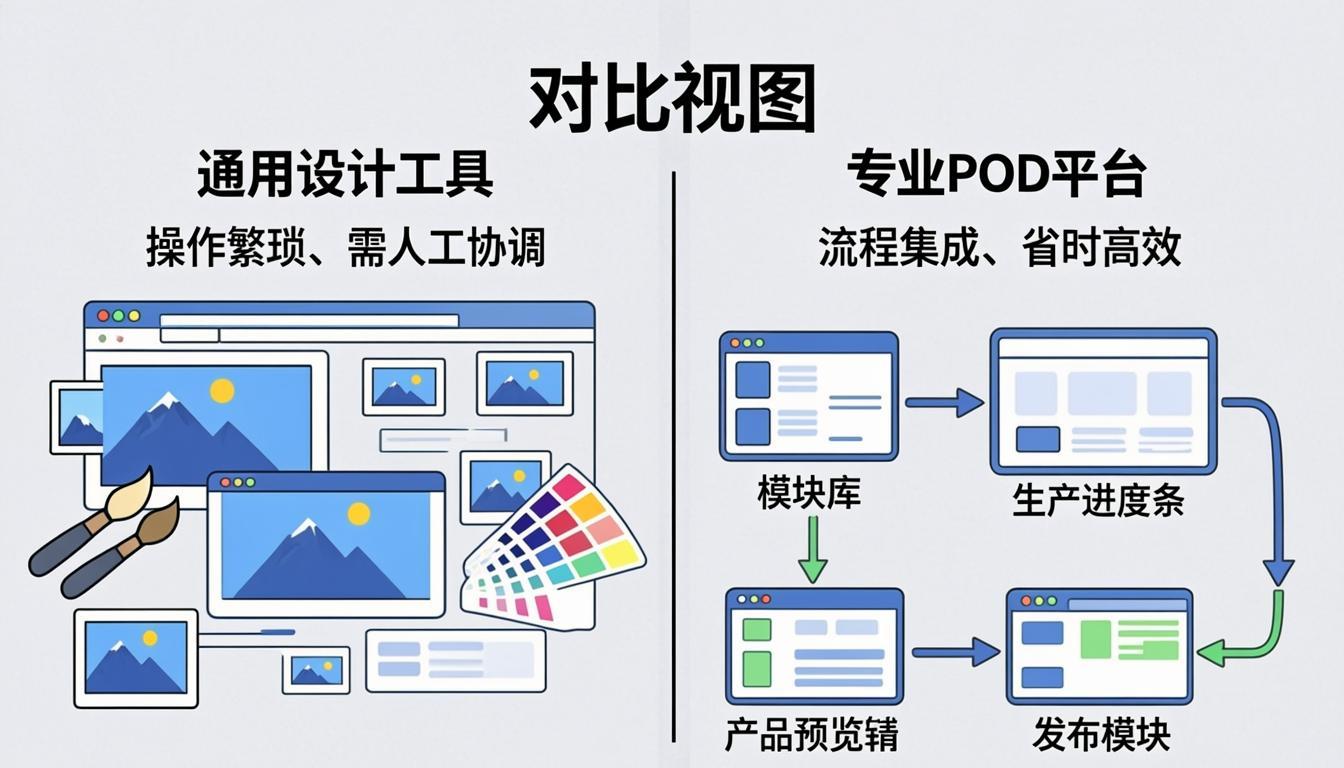
Tools That Accelerate Bulk Listing
Several tools can dramatically speed up your bulk listing process. Here are the most effective options for Etsy POD sellers:
MyDesigns: The foundation of your bulk workflow. Use MyDesigns for AI design generation, bulk mockup creation, and bulk file export. The platform's batch capabilities handle the most time-consuming creative tasks, reducing hours of work to minutes.
eRank: The leading Etsy SEO tool. Use eRank's Keyword Tool to research keywords in bulk, its Listing Builder to create SEO-optimized titles and tags, and its Bulk Edit tool to update multiple listings simultaneously. The paid plan is essential for serious bulk listing operations.
Marmalead: An alternative to eRank that provides similar keyword research and listing optimization capabilities. Some sellers prefer Marmalead's interface and market analysis features. Both tools offer free trials so you can test which one works best for your workflow.
Canva (for additional graphics): While MyDesigns handles your core POD designs, Canva is useful for creating supplementary graphics like Etsy shop banners, social media promotion images, and Pinterest pins for marketing your new listings.
Google Sheets: Use spreadsheets to plan your listing batches, track keywords, organize design files, and maintain your listing templates. A well-organized spreadsheet is the backbone of an efficient bulk listing operation.
Bulk Listing Best Practices
Quality over quantity (but within reason): While volume matters, never sacrifice quality for speed. A poorly optimized listing with generic mockups is worse than no listing at all. Use your templates and bulk tools to maintain quality while increasing speed.
Stagger your listings: Instead of publishing 100 listings in one day, stagger them over 2 to 4 weeks. Etsy's algorithm rewards shops with recent activity, and staggered publishing maintains a consistent appearance of shop activity. Aim for 5 to 15 new listings per day.
Monitor performance and adjust: Track which listings from each batch perform best. Use this data to refine your keyword strategy and design approach for future batches. This feedback loop is crucial for continuously improving your bulk listing efficiency and effectiveness.
Rotate tag variations: Even within a batch of similar designs, use slightly different tag combinations to test which keywords perform best. This approach increases your overall search coverage and provides valuable data for future optimization.
Maintain design consistency: All designs within a batch should share a consistent style, color palette, and quality level. Consistent design quality builds your shop's reputation and encourages repeat purchases from customers who trust your brand's aesthetic.
How Many Listings Do You Need to Succeed on Etsy?
The ideal number of listings varies by niche, competition level, and design quality, but here are general benchmarks based on successful POD shops:
0 to 50 listings: The testing phase. You are still learning what designs resonate with your audience and refining your SEO strategy. Revenue is typically inconsistent and modest. Focus on quality and optimization over volume at this stage.
50 to 200 listings: The growth phase. You are seeing consistent daily views and regular sales. Your SEO strategy is working, and you are building momentum. This is where bulk listing strategies become essential to maintain growth velocity.
200 to 500 listings: The scaling phase. Your shop is generating significant daily traffic and consistent revenue. You have established product-market fit and can invest heavily in scaling your catalog. Most full-time income POD shops operate in this range.
500+ listings: The authority phase. Your shop is a recognized brand in your niche. You have significant organic traffic and can afford to invest in advertising and expansion. At this level, you are likely earning well into four or five figures per month.